 Futureman Labs
Platform Integration
Connect Airtable to Shopify for Product Management: The Enterprise-Grade Way
Learn how to build a robust, bidirectional sync between Airtable and Shopify for product management using n8n. Covers variant sync, image management, Shopify API rate limits, and why Zapier breaks at scale.
David Yu · January 30, 2026 · 12 min read
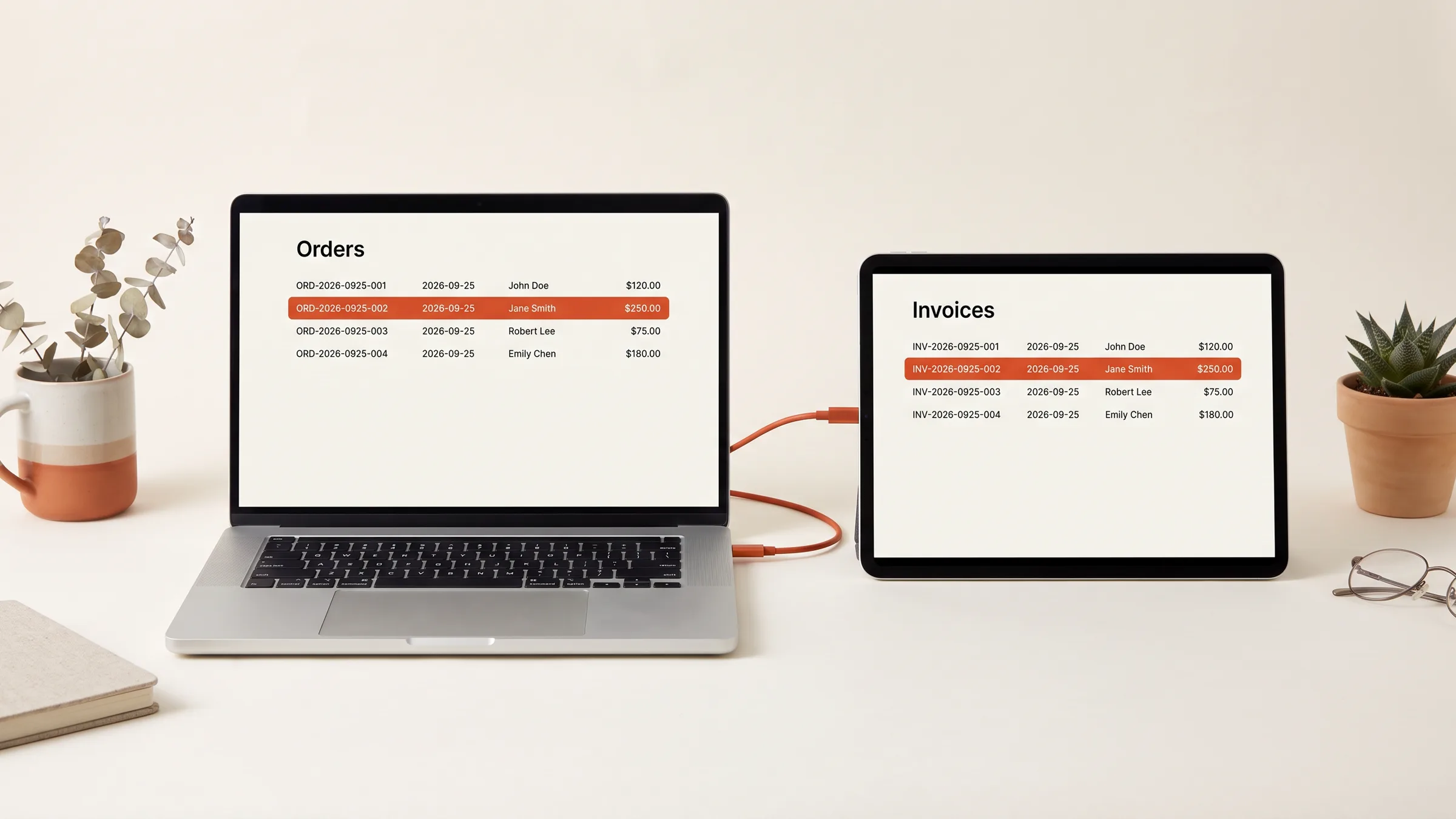
If you run an ecommerce brand with more than a few hundred SKUs, you already know the pain: product data lives in spreadsheets, gets copy-pasted into Shopify, and within a week the two systems are out of sync. Prices are wrong. Descriptions are stale. Variant options are missing. Someone on your team is spending 15 hours a week on data entry that should not exist.
Airtable has become the de facto product information management (PIM) tool for DTC brands in the $2M-$50M revenue range. It is flexible, your merchandising team already knows how to use it, and it handles relational data (products, variants, collections, vendor info) far better than any spreadsheet. The problem is getting that data into Shopify reliably, at scale, without everything breaking on a Saturday night when you are running a flash sale.
This guide walks through exactly how we build enterprise-grade Airtable-to-Shopify product sync pipelines at Futureman Labs -- using n8n as the orchestration layer, with proper error handling, rate limit management, and bidirectional sync capabilities that actually hold up under load.
Why Native Integrations Break at Scale
Before we get into the architecture, let us address the elephant in the room: why can't you just use Zapier, Make.com, or one of the Airtable-Shopify apps on the Shopify App Store?
The Zapier Problem
Zapier's Airtable-to-Shopify integration works fine if you have 50 products and update them once a week. Here is where it falls apart:
- Task limits hit fast. A single product with 8 variants triggers 9 Zapier tasks (1 product + 8 variant updates). If you update 100 products, that is 900 tasks. Zapier's Professional plan gives you 2,000 tasks/month for $49. You will burn through that in a single catalog refresh.
- No batch operations. Zapier processes one record at a time. Updating 500 products means 500 sequential API calls to Shopify, which takes hours and frequently times out.
- No rate limit handling. Shopify's Admin API enforces a leaky bucket rate limit of 40 requests per app per store (80 on Shopify Plus). Zapier does not throttle, so your sync fails mid-batch with 429 errors, leaving your catalog in a half-updated state.
- No rollback. When a Zapier step fails, there is no mechanism to undo the previous steps. You end up with products that have updated titles but old prices, or new variants attached to stale parent products.
Shopify Flow Limitations
Shopify Flow is powerful for in-Shopify automations, but it cannot pull data from external sources like Airtable. It also has hard limits that high-volume stores hit quickly:
- Workflow run limits: Flow caps at 10,000 workflow runs per hour on Plus plans. If you are processing bulk updates or handling high order volume simultaneously, you will hit this ceiling.
- No external HTTP requests in the free tier. The "Send HTTP request" action is a Plus-only feature, and even then it has a 5-second timeout with no retry logic.
- No complex data transformation. Flow cannot map nested Airtable records (like a product with relational links to a materials table and a pricing table) into Shopify's product schema.
The workaround for Shopify Flow limits on high-volume stores is to move your orchestration outside of Shopify entirely. That is where n8n comes in.
The Architecture: Airtable as Source of Truth, n8n as the Engine
Here is the high-level architecture we deploy for brands doing $5M+ in annual revenue:
Airtable (PIM)
  |
  |-- Webhook trigger on record update
  |
n8n (Self-hosted or Cloud)
  |
  |-- Validate & transform data
  |-- Batch operations (50 records per batch)
  |-- Rate limit queue (2-second delay between batches)
  |-- Error handling & retry logic
  |
Shopify Admin API (REST or GraphQL)
  |
  |-- Products, Variants, Images, Metafields
  |
  |-- Webhook on order/inventory change
  |
n8n (Reverse sync)
  |
  |-- Update Airtable with inventory levels, sales data
Why n8n Over Make.com or Custom Code
We use n8n for this specific integration for three reasons:
- Self-hosting eliminates task limits. n8n Cloud has generous limits, but self-hosting on a $20/month server gives you unlimited executions. For a catalog sync that runs thousands of operations daily, this pays for itself immediately.
- Built-in rate limit handling. n8n's HTTP Request node supports configurable retry logic with exponential backoff. You can set it to retry on 429 responses with a delay that respects Shopify's
Retry-Afterheader. - Native Airtable and Shopify nodes. Both are first-class integrations with n8n, but you can also drop down to raw HTTP requests when you need to hit endpoints the nodes do not cover (like Shopify's GraphQL bulk operations).
Building the Forward Sync: Airtable to Shopify
Step 1: Structuring Your Airtable Base
Your Airtable base needs to be structured with Shopify's data model in mind. Here is the schema we recommend:
Products Table:
| Field | Type | Notes |
|---|---|---|
| Product Title | Single line text | Maps to Shopify title |
| Body HTML | Long text (rich text) | Maps to body_html |
| Vendor | Single line text | Maps to vendor |
| Product Type | Single select | Maps to product_type |
| Tags | Multiple select | Comma-joined for Shopify |
| Status | Single select (Active/Draft/Archived) | Maps to status |
| Shopify Product ID | Number | Populated by sync, used for updates |
| Last Synced | Date/time | Tracks sync status |
| Sync Status | Single select (Pending/Synced/Error) | Visual indicator |
| Variants | Link to Variants table | One-to-many relationship |
| Images | Attachment field | Synced to Shopify CDN |
Variants Table:
| Field | Type | Notes |
|---|---|---|
| SKU | Single line text | Unique identifier |
| Price | Currency | Maps to price |
| Compare At Price | Currency | Maps to compare_at_price |
| Option 1 Name | Single line text | e.g., "Size" |
| Option 1 Value | Single line text | e.g., "Large" |
| Option 2 Name | Single line text | e.g., "Color" |
| Option 2 Value | Single line text | e.g., "Black" |
| Weight | Number | In grams |
| Inventory Qty | Number | Current stock level |
| Shopify Variant ID | Number | Populated by sync |
| Product | Link to Products table | Many-to-one relationship |
Step 2: The n8n Workflow (Forward Sync)
The core workflow has five stages:
Stage 1: Trigger. Use an Airtable trigger node set to poll every 60 seconds for records where Sync Status equals "Pending." Alternatively, use Airtable's webhook (available on Pro plans) for near-real-time sync.
Stage 2: Fetch related records. For each product record, fetch all linked variant records and image attachments. This requires a secondary Airtable API call since the trigger only returns the parent record.
Stage 3: Transform data. Map Airtable fields to Shopify's product schema. This is where most integrations get lazy and break. Here is what the transformation needs to handle:
// n8n Function node: Transform Airtable record to Shopify product
const airtableRecord = $input.first().json;

const shopifyProduct = {
  product: {
    title: airtableRecord.fields["Product Title"],
    body_html: airtableRecord.fields["Body HTML"],
    vendor: airtableRecord.fields["Vendor"],
    product_type: airtableRecord.fields["Product Type"],
    status: airtableRecord.fields["Status"]?.toLowerCase() || "draft",
    tags: (airtableRecord.fields["Tags"] || []).join(", "),
    variants: airtableRecord.variants.map(v => ({
      sku: v.fields["SKU"],
      price: String(v.fields["Price"]),
      compare_at_price: v.fields["Compare At Price"]
        ? String(v.fields["Compare At Price"])
        : null,
      option1: v.fields["Option 1 Value"],
      option2: v.fields["Option 2 Value"] || null,
      weight: v.fields["Weight"] || 0,
      weight_unit: "g",
      inventory_management: "shopify",
      // Preserve existing Shopify variant ID for updates
      ...(v.fields["Shopify Variant ID"]
        ? { id: v.fields["Shopify Variant ID"] }
        : {}),
    })),
    options: [
      { name: airtableRecord.variants[0]?.fields["Option 1 Name"] || "Title" },
      ...(airtableRecord.variants[0]?.fields["Option 2 Name"]
        ? [{ name: airtableRecord.variants[0].fields["Option 2 Name"] }]
        : []),
    ],
  },
};

return [{ json: shopifyProduct }];
Stage 4: Upsert to Shopify. Check if Shopify Product ID exists in the Airtable record. If yes, send a PUT request to update. If no, send a POST to create. After creation, write the new Shopify Product ID and Variant IDs back to Airtable.
Stage 5: Image sync. This is the step most tutorials skip, and it is the one that causes the most headaches.
Step 3: Handling Image Sync Properly
Shopify's image handling has several quirks that will bite you:
- Images are position-indexed. Shopify assigns a
positionvalue to each image. If you re-upload all images on every sync, customers see image flicker as the CDN URLs change. - Airtable attachment URLs expire. Airtable generates temporary signed URLs for attachments. You cannot just pass these to Shopify's image
srcfield because they expire within hours. - Variant image association requires a two-step process. You must first upload the image to the product, get back the image ID, then update the variant to reference that image ID.
The solution:
- On first sync, download each Airtable attachment to a buffer in n8n.
- Upload to Shopify using the
POST /products/{id}/images.jsonendpoint with base64-encoded image data. - Store the returned Shopify image ID in Airtable alongside the attachment.
- On subsequent syncs, compare Airtable attachment filenames against stored Shopify image IDs. Only re-upload if the filename has changed (indicating a new image was uploaded to Airtable).
Is your half-built automation a six-week finish?
Take the free Finish Score. Ten questions, two minutes, and a report on what to settle before you build.
Take the Finish ScoreBuilding the Reverse Sync: Shopify to Airtable
The reverse sync keeps Airtable updated with data that originates in Shopify -- primarily inventory levels and sales velocity.
Inventory Level Updates
Register a Shopify webhook for the inventory_levels/update topic. When inventory changes (from an order, a manual adjustment, or a 3PL update), the webhook fires and n8n receives the payload:
// Incoming Shopify webhook payload
{
  "inventory_item_id": 808950810,
  "location_id": 905684977,
  "available": 42,
  "updated_at": "2026-01-30T14:25:00-05:00"
}
The n8n workflow then:
- Looks up the
inventory_item_idto find the associated variant SKU (requires an additional API call toGET /inventory_items/{id}.json). - Searches the Airtable Variants table for a record matching that SKU.
- Updates the
Inventory Qtyfield in Airtable.
Handling Shopify API Rate Limits
This is where most DIY integrations fall over. Shopify's REST Admin API uses a leaky bucket algorithm:
- Bucket size: 40 requests (80 on Plus).
- Leak rate: 2 requests per second (4 on Plus).
- Response headers:
X-Shopify-Shop-Api-Call-Limit: 32/40tells you how full the bucket is.
In n8n, implement this with a Function node that checks the rate limit header and injects a delay:
const callLimit = $input.first().json.headers["x-shopify-shop-api-call-limit"];
const [used, max] = callLimit.split("/").map(Number);
const remaining = max - used;

if (remaining < 5) {
  // Bucket is nearly full, wait 10 seconds
  await new Promise(resolve => setTimeout(resolve, 10000));
}

return $input.all();
For bulk operations (initial catalog import, seasonal catalog refreshes), use Shopify's GraphQL Bulk Operations API instead. It lets you submit a single mutation that processes in the background, with no rate limit concerns:
mutation {
  bulkOperationRunMutation(
    mutation: "mutation call($input: ProductInput!) {
      productCreate(input: $input) {
        product { id }
        userErrors { message field }
      }
    }",
    stagedUploadPath: "tmp/bulk-products.jsonl"
  ) {
    bulkOperation { id status }
    userErrors { message field }
  }
}
Error Handling Strategy
Every integration fails eventually. The difference between a hobby project and an enterprise-grade system is what happens when it does.
Three-Tier Error Handling
Tier 1: Automatic Retry. For transient errors (429 rate limits, 500 server errors, network timeouts), retry up to 3 times with exponential backoff (2s, 8s, 32s). n8n's built-in retry mechanism handles this at the node level.
Tier 2: Quarantine and Alert. For data validation errors (missing required fields, invalid option values, SKU conflicts), move the record to a "Sync Error" status in Airtable with the error message stored in a dedicated field. Send a Slack notification to your ops channel with the record link and error details.
Tier 3: Circuit Breaker. If more than 10 consecutive errors occur within a 5-minute window, pause the entire sync workflow and send an urgent alert. This prevents a cascading failure (like a malformed bulk import) from corrupting your entire catalog.
Idempotency
Every sync operation must be idempotent -- running it twice should produce the same result as running it once. This means:
- Always use
Shopify Product IDfor updates, never rely on title matching. - Store and check
Last Syncedtimestamps to avoid processing stale webhooks. - Use Shopify's
inventory_item_id(not variant ID) for inventory operations, since variant IDs can change during product restructuring.
Performance: What to Expect
With this architecture deployed on a self-hosted n8n instance (4 vCPU, 8GB RAM):
| Operation | Throughput | Notes |
|---|---|---|
| Single product update | Under 3 seconds | Including variants and images |
| Bulk catalog sync (1,000 products) | ~25 minutes | With rate limit compliance |
| Inventory level update | Under 2 seconds | Webhook-triggered |
| Full bidirectional reconciliation | ~45 minutes | For 5,000 SKU catalog |
For stores with 10,000+ SKUs, we switch to Shopify's GraphQL Bulk Operations API for the initial load and use the webhook-based incremental sync for ongoing updates. This brings the full catalog sync down from hours to under 30 minutes.
When to Build This Yourself vs. Hiring It Out
If you have an in-house developer who understands both Airtable's and Shopify's APIs, this is a buildable project. Budget 40-60 hours for the initial implementation and another 20 hours for testing and edge case handling.
If you do not have that technical resource, or if your catalog has complexity that goes beyond what we have covered here (multiple Shopify stores, B2B/wholesale pricing tiers, multi-warehouse inventory allocation), this is exactly the kind of project where Futureman Labs earns its keep. We have deployed this architecture for brands processing 2,000+ SKU updates per day, and the system runs unattended for months at a time.
The cost of getting this wrong is not just engineering time -- it is the $50K flash sale where half your products show the wrong price because the sync stalled at row 847.
Want help mapping what to automate first?
Book a short call. No pitch deck, just a working session on where your operations leak time and money and what to fix first.
Book a callWant help mapping what to automate first?
Book a short call. No pitch deck, just a working session on where your operations leak time and money and what to fix first.
Book a callRelated Articles
Platform Integration
Shopify Multi-Location Inventory Sync: Stop Overselling
Stop overselling across Shopify locations. Build a real-time multi-location inventory sync system with free n8n templates, GraphQL examples, and reconciliation.
Jun 16, 2026 · 17 min read
Platform Integration
How to Automate Slack Alerts for Airtable Updates Using Make.com
Step-by-step guide to building Make.com scenarios that watch Airtable for changes and push formatted Slack notifications automatically.
Mar 26, 2026 · 13 min read
Platform Integration
Advanced Klaviyo Flows with n8n: Go Beyond Native Automations
Trigger Klaviyo emails from external data Shopify can't see. Step-by-step n8n workflows for cross-platform segmentation, custom events, and advanced flow logic.
Mar 23, 2026 · 17 min read
Platform Integration
Shopify to Google Sheets: Free Real-Time Dashboard (n8n Guide)
Build a live Shopify dashboard in Google Sheets using n8n webhooks — no paid apps, works on any plan. Step-by-step setup with ready-to-copy workflow templates.
Mar 23, 2026 · 19 min read
Platform Integration
How to Build a Shopify Subscription Management System
Reduce subscriber churn with automated dunning, win-back flows, and proactive retention. A technical guide to subscription automation for Shopify stores.
Mar 23, 2026 · 18 min read
Platform Integration
How to Connect Shopify to QuickBooks Automatically
A practical guide to syncing Shopify sales, refunds, fees, and payouts to QuickBooks Online. Covers native connectors, A2X, Synder, and custom workflows.
Mar 23, 2026 · 14 min read